


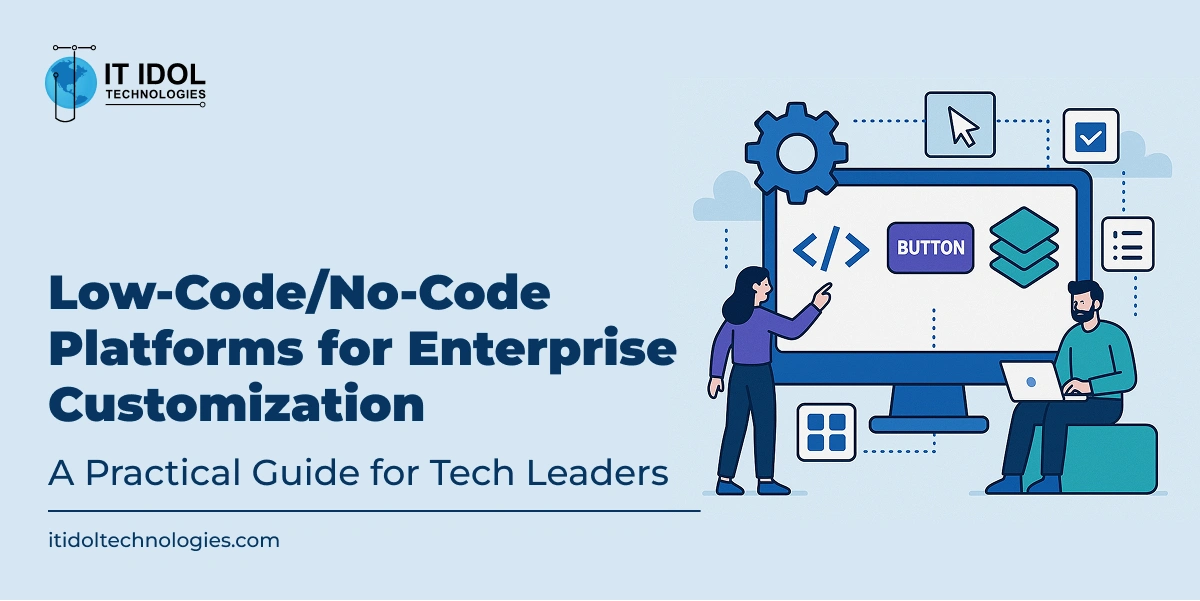
Low-Code/No-Code Platforms for Enterprise Customization: A Practical Guide for Tech Leaders
Let’s face it. Traditional software development in large organizations is complex, time-consuming, and expensive.
It requires a deep bench of skilled developers, multiple iterations, and endless coordination between IT and business teams. What if there were a faster, easier way to bring ideas to life?
That’s where low-code and no-code (LCNC) platforms come in. These tools are transforming how enterprises build and customize software.
They allow developers, IT teams, and even non-tech stakeholders to create business applications quickly with minimal hand-coding.
Whether you’re building internal tools or full-scale enterprise apps, these platforms are making it easier to innovate without waiting in IT queues.
This guide walks you through the landscape of low-code/no-code platforms, showing you how to evaluate, adopt, and scale them for your enterprise.
We’ll explore use cases, platform comparisons, governance challenges, and what the future holds.
Chapter 1: What Are Low-Code and No-Code Platforms?
Think of low-code and no-code tools as Lego for software development. Instead of starting with raw materials (code), you’re using pre-built components and logic blocks to build applications.
- Low-Code: Designed for developers or technically skilled users. These platforms allow for visual development but support custom scripting when needed.
- No-Code: Designed for non-technical users. You can drag and drop elements, define rules, and create workflows without writing a single line of code.
Here’s a quick analogy:
- Low-code is like using a meal kit: ingredients are prepped, but you still need to cook.
- No-code is like a ready-to-eat meal: just plate and serve.
Chapter 2: Why Enterprises Are Embracing LCNC
Let’s look at the key drivers:
1. Speed to Market
Traditional app development cycles can take 6 to 12 months. With LCNC, you can build prototypes in days and deploy in weeks. That’s game-changing for innovation.
Ask Yourself: How much revenue or efficiency are we losing by delaying app launches?
2. Reduced Development Costs
- Less reliance on external vendors
- Smaller in-house teams
- Reusable components across departments
3. Collaboration Between Business and IT
- Business users understand the process.
- IT knows the technology.
- LCNC lets them meet in the middle and co-create.
4. Flexibility + Scalability
Modern LCNC tools aren’t just for small apps. They now support:
- Multi-user workflows
- API integrations
- Role-based access
- Secure data handling
Reality check: Some of the biggest names in finance, insurance, and healthcare are using LCNC for mission-critical workflows.
Chapter 3: Common Use Cases
Here are enterprise-ready scenarios where LCNC platforms shine:
A. Internal Workflow Automation
- Leave request approvals
- Expense tracking
- Onboarding checklists
B. Customer-Facing Apps
- Loan eligibility calculators
- Customer portals
- Appointment schedulers
C. Data Collection & Dashboards
- Market research forms
- Incident reporting
- Sales performance dashboards
D. Compliance and Audit Tools
- Policy documentation
- Version-controlled approval systems
E. Industry-Specific Scenarios:
- Healthcare: EHR integrations, telehealth scheduling
- Manufacturing: Supply chain monitoring, asset tracking
- Retail: Inventory management, loyalty apps
- Finance: KYC processing, credit analysis
Tip: Start with an internal tool that’s in high demand but low risk. Build trust and expand from there.
Chapter 4: Tools That Deserve Your Attention
Below are some standout platforms, each with its strengths. Follow the links to explore them further.
1. OutSystems

- Ideal for: Full-stack, enterprise-grade applications
- Notable Features: Scalability, DevOps integration, advanced security
- Use Case: A global bank digitized its loan processing across multiple regions in 3 months using OutSystems.
2. Mendix

- Ideal for: Large-scale operations and industrial apps
- Notable Features: Offline mobile support, hybrid cloud deployment
- Use Case: A manufacturing giant built a parts inventory system deployed across 40 countries with Mendix.
3. Appian

- Ideal for: Process automation, case management
- Notable Features: BPM, RPA, integrations with enterprise systems
- Use Case: A public health agency deployed a pandemic response workflow in just 10 days.
4. Microsoft Power Platform

- Ideal for: Enterprises already using Office 365
- Notable Features: Integration with Excel, Teams, and Dynamics
- Use Case: A retail chain automated customer support ticket routing with Power Automate.
5. Zoho Creator

- Ideal for: SMBs and startups
- Notable Features: Easy to use, quick setup, affordable
- Use Case: A startup built a full-fledged CRM in under a week without hiring developers.
Chapter 5: Making the Right Choice (Comparison Table)
| Platform | Ideal Use Case | Pros | Watchouts |
| OutSystems | Enterprise Apps | Full-stack, DevOps-friendly | Steeper learning curve, pricing |
| Mendix | Industrial Systems | Offline support, robust security | Requires IT oversight |
| Appian | Compliance Workflows | Great for BPM, automation | Limited UI customization |
| Power Platform | Internal Tools | Microsoft-friendly, easy to adopt | Not for complex multi-platform apps |
| Zoho Creator | SMB Operations | Fast setup, budget-friendly | Limited scalability |
Chapter 6: Challenges and Considerations
Let’s be real—LCNC isn’t magic. There are real challenges you need to anticipate.
1. Governance and Oversight
Without policies in place, you risk:
- App duplication
- Security breaches
- Shadow IT
Solution: Create a governance model or a Center of Excellence (CoE).
2. Integration with Legacy Systems
While APIs help, integrating with legacy systems can be a hurdle. You’ll need:
- API orchestration
- Middleware
- Skilled tech support
3. Skill Gaps and Training
Citizen developers still need to understand:
- Logic
- Data security
- UX best practices
Tip: Host internal bootcamps. Promote cross-training.
4. Platform Lock-In
Watch out for vendor lock-in. Choose platforms with:
- Open standards
- Reusable components
- Migration support
Chapter 7: Scaling LCNC Across the Enterprise
Here’s a simple 4-step playbook:
Step 1: Identify High-Impact Use Cases
Target:
- Manual, repetitive tasks
- Tools with low adoption
- Shadow IT-built spreadsheets
Step 2: Launch a Pilot
Keep it small. Prove value. Collect feedback.
Step 3: Establish Guardrails
Create templates, policies, and training resources. Centralized documentation.
Step 4: Expand and Evangelize
Celebrate wins. Showcase successful apps. Build internal momentum.
Chapter 8: The Future of Low-Code/No-Code
LCNC isn’t just about faster apps. It’s reshaping how digital transformation happens.
What’s Next?
- AI-assisted development: Platforms like Power Platform now suggest logic flows.
- Natural language programming: Build apps by simply describing them.
- Composable architectures: Microservices, APIs, and prebuilt integrations will dominate.
- Marketplace ecosystems: Users will buy, reuse, or license app templates.
Conclusion: Start Small, Think Big
Low-code/no-code tools are not about replacing developers. They’re about unlocking potential across business units, across teams, across the enterprise. The future belongs to organizations that can act fast without breaking things.
Next Step:
- Identify one small app you wish existed in your organization.
- Explore one LCNC platform.
- Launch a test in 30 days.
The tools are ready. The use cases are endless. It’s your move.
Bonus Resource: Want a personalized platform recommendation or a pilot strategy template? Reach out and we’ll help you get started.
Also Read: The Human-Machine Enterprise: Leading Culture Change and Upskilling for a Generative Era